Environments Architecture
Introduction
Environments are the foundation of the Continuous Delivery Model. Each environment serves a specific purpose in the software delivery pipeline, from local development through production deployment.
Understanding environment types, their characteristics, and their relationships is essential for implementing an effective CD Model.
Traditional approaches often rely on long-lived, shared environments that create inter-team bottlenecks and inconsistencies.
The CD Model reimagines environments as purpose-built, often ephemeral resources that enable parallel execution, rapid feedback, and consistent infrastructure. By "controlling the variables" of our verification processes, we make verifications more deterministic and trustworthy.
For a comprehensive comparison of traditional vs CD Model approaches, see CD Model Overview.
Environment Types Explained
DevBox
The DevBox is the developer's local development environment where all changes begin.
Characteristics:
- Full control and isolation
- Fast iteration without network dependencies
- Immediate feedback loops
- No impact on other developers
Tools and Resources:
- IDE or code editor
- Local build tools and compilers
- Unit testing frameworks
- Local security scanners (Trivy)
- Version control (Git + Artifact repository)
- Container runtime (Docker)
Purpose in CD Model:
- Stage 1 (Authoring): Create and develop changes
- Stage 2 (Pre-commit): Fast local validation
Best Practices:
- Mirror production configuration where possible
- Run pre-commit checks locally
- Use containerization for consistency
- Maintain clean, reproducible setup
Build Agents
Build Agents are dedicated CI/CD pipeline runners that provide consistent, reproducible build environments.
Characteristics:
- Isolated execution for each build
- Consistent configuration across runs
- Access to artifact repositories
- Network access to test infrastructure
- No production credentials
Purpose in CD Model:
- Stage 2 (Pre-commit): CI/CD validation
- Stage 3 (Merge Request): Peer review automation
- Stage 4 (Commit): Integration testing
- Stage 8 (Start Release): Release candidate creation
Security Considerations:
- Isolated from production networks
- Limited credentials (read artifact repos, write test results)
- No direct deployment capabilities
- Audit logging for all actions
Infrastructure:
- Containerized runners (Docker, Kubernetes or vendor PasS)
- Ephemeral execution environments
- Infrastructure as Code for consistency
Deploy Agents
Deploy Agents are specialized CI/CD runners with segregated access to production networks and deployment credentials.
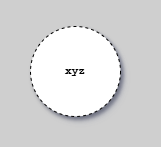
Legend for agent types: Shows the symbols for Build Agents (no production access, run Stages 2-4) and Deploy Agents (segregated production access, run Stage 10). The diagram illustrates network boundaries and credential segregation between agent types.
Characteristics:
- Network access to production environments
- Production deployment credentials (stored securely in vaults)
- Strict access controls and audit logging
- Principle of least privilege
- Separate from Build Agents
Purpose in CD Model:
- Stage 10 (Production Deployment): Execute production deployments
- Stage 11 (Live): Health check validation
- Rollback execution if needed
Security Measures:
- Network segmentation from Build Agents
- Multi-factor authentication for credentials
- Comprehensive audit logging
- Time-limited sessions
- Change approval integration
Approval Integration:
- Manual approval gate (RA pattern)
- Automated approval gate (CDe pattern)
- Emergency break-glass procedures
- Rollback triggers
Why Separate from Build Agents:
- Principle of least privilege
- Reduce attack surface
- Prevent unauthorized production access
- Clear audit trail
Production-Like Test Environments (PLTE)
PLTEs are ephemeral, isolated environments that emulate production characteristics for realistic testing.
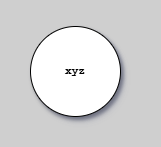
Legend for PLTE notation: Shows the symbol used in CD Model diagrams to represent Production-Like Test Environments - ephemeral, isolated environments for vertical testing (L3) with test doubles for all external dependencies.
Characteristics:
- Production-like infrastructure (OS, database versions, network topology)
- Production-like configuration (without production credentials)
- Realistic test data (anonymized if necessary)
- Isolated per topic branch or release candidate
- Ephemeral - created on-demand, destroyed after testing
- Can come as a series of environments with different toggle settings
Purpose in CD Model:
- Stage 5 (Acceptance Testing): Functional validation (IV, OV, PV)
- Stage 6 (Extended Testing): Performance, security, compliance
Benefits:
- Realistic testing without production risk
- No resource contention between features
- Catch environment-specific issues early
- Parallel testing for multiple branches
- Infrastructure as Code validation
Implementation:
- Infrastructure as Code (Terraform, CloudFormation, Bicep etc.)
- Automated provisioning and teardown
- Database snapshots or seed data
- Network isolation for security
Cost Management:
- Short-lived (hours, not days)
- Automated cleanup after testing
- Resource limits to prevent overprovisioning
- Cloud-native auto-scaling
Demo Environment
The Demo (or "Trunk Demo") environment provides a stable, production-like environment for stakeholder validation and exploratory testing.
Characteristics:
- Reflects current state of main branch
- Longer-lived than PLTEs (days to weeks)
- Accessible to non-technical stakeholders
- Production-like without production data
- Represent "next release" features
- Can come as a series of demo environments with different toggle settings
Purpose in CD Model:
- Stage 7 (Exploration): Stakeholder validation, UAT, exploratory testing
Use Cases:
- Feature demonstrations to product owners
- User acceptance testing
- Documentation and training preparation
- Exploratory testing by QA teams
- Stakeholder feedback collection
Access:
- Product owners and stakeholders
- QA teams
- Documentation teams
- Support and training teams
Update Cadence:
- Typically updated from main branch after successful Stage 6
- May be updated daily or weekly
- Represents validated, release-ready features
Network Segregation Architecture
Network segregation enforces security boundaries between environment types through isolated network zones.
Purpose:
- Prevent unauthorized production access
- Limit blast radius of security breaches
- Enforce principle of least privilege
- Meet compliance requirements for production isolation
Zone Architecture
Zone A - Development/Test:
- DevBox (developer laptops, not on controlled network)
- Build Agents (CI/CD runners)
- PLTE instances
- Demo environments
Characteristics:
- No access to production networks
- Public internet access for package downloads
- Can read from artifact repositories
- Cannot deploy to production
Zone B - Production (Isolated):
- Production runtime environments
- Production databases and services
- Live user traffic
Characteristics:
- Isolated from development/test zones
- Strict ingress/egress controls
- No direct access from Build Agents
Zone C - Deployment Gateway:
- Deploy Agents (production deployment capability)
Characteristics:
- Network access to both Zone A (artifact repos) and Zone B (production)
- Segregated credentials (production deployment keys)
- Comprehensive audit logging
- Multi-factor authentication required
Traffic Flow
- Build Agents (Zone A) build artifacts → publish to artifact repository
- Deploy Agents (Zone C) retrieve artifacts → deploy to Production (Zone B)
- Production (Zone B) never pulls directly from development zones
Implementation
Azure: Hub-and-spoke architecture with VNets and NSGs
AWS: VPC with security groups and private subnets
On-premise: Network segmentation with firewalls
Benefits
- Build Agents compromised → Production unaffected
- Production credentials never leave Zone C
- Clear audit trail (all production deployments via Deploy Agents)
- Compliance requirement: separation of duties
When to Use Network Segregation
Required for:
- Regulated industries (finance, healthcare)
- High-security requirements
- Compliance mandates (SOC 2, ISO 27001)
- Large organizations with separate teams
Optional for:
- Small teams with full trust
- Internal tools only
- Non-regulated domains
- Startups in early stages
Production Environment
The Production environment is where software serves end users and delivers business value.
Characteristics:
- Live user traffic
- Real business data
- High availability requirements
- Performance monitoring
- Incident response procedures
Purpose in CD Model:
- Stage 10 (Production Deployment): Receive new releases
- Stage 11 (Live): Operational monitoring
- Stage 12 (Release Toggling): Feature flag management
Deployment Strategies:
Production deployments use various strategies to minimize risk and enable rapid rollback. The CD Model supports multiple deployment patterns including Hot Deploy, Rolling, Blue-Green, Canary, and Feature Flag-based deployments.
For comprehensive coverage of deployment strategies, implementation patterns, and selection guidance, see Deployment Strategies and Deployment Rings.
Monitoring:
- Application performance metrics
- Business metrics (conversion, revenue)
- Error rates and types
- Resource utilization
- User behavior
Rollback Capabilities:
- Automated rollback on threshold breaches
- Manual rollback procedures
- Database rollback considerations
- Feature flag kill switches
Architecture Visuals Explained
Architectural Layers

This diagram shows the architectural organization layers for environment infrastructure:
The diagram illustrates how environments are structured using categories (Production vs Dev/Test), category instances (individual subscriptions or account structures), templates (Infrastructure as Code sets), and environment instances (deployed environments from templates). The layered architecture shows how shared infrastructure supports multiple environment slot groups (named horizontal environments like d/DEVELOPMENT, t/DEMO, p/PRODUCTION), which in turn contain environment slots (individual environment instances). This hierarchical organization enables consistent infrastructure definitions across all environments while allowing for appropriate isolation and access controls at each layer.
Environment Slot Groups and Slots

This diagram shows environment slot groups and slots organization:
The diagram illustrates how environments are organized into slot groups and slots. An environment slot group is a named horizontal environment grouping (e.g., d/DEVELOPMENT, t/DEMO, t/ACCEPTANCE, p/PRODUCTION) used to organize related environments.
Within each slot group, environment slots are logical constructs that map to infrastructure templates. Horizontal PLTEs are instantiated within a single slot group and can consist of one to many slots. Vertical isolated PLTEs are also instantiated within slot groups. Slots can be empty or filled with environment instances, and slot groups can be partially or completely filled. This organization enables teams to manage multiple environment instances with clear boundaries for horizontal end-to-end testing and vertical isolated testing.
Environment Slot and Slot Group Naming

This diagram shows how environment slots and slot groups are identified through naming conventions:
The diagram illustrates how infrastructure components are named to indicate their slot group and slot membership. In cloud providers like Azure, a slot and slot group are identified by specific parts of the infrastructure component naming. For example, infrastructure components that exist in slot groups include App Services, Function Apps, Databases, Key Vaults, and Storage Accounts. Shared infrastructure (App Plans, Networks, DNS, Gateways, SQL Servers, Container Registries) has different naming patterns as it supports multiple slot groups. The naming convention enables clear identification of which environment instance a resource belongs to, facilitating automated provisioning and lifecycle management through Infrastructure as Code.
Infrastructure as Code Integration
Infrastructure as Code (IaC) ensures all environments are created from the same definitions, providing consistency, version control, and automated provisioning. Use Terraform/CloudFormation/Bicep for cloud infrastructure, Docker for packaging, docker compose for emulation and Kubernetes or vendor PaaS for PLTE and production orchestration.
For detailed PLTE provisioning procedures, lifecycle management, and Infrastructure as Code templates, see PLTE Provisioning.
Next Steps
- CD Model Overview - Understand the 12 stages
- Stages 1-7 - See how environments support development stages
- Stages 8-12 - See how environments support release stages
- Repository Patterns - Understand repository organization
- Implementation Patterns - Choose RA or CDE pattern
References
Tutorials | How-to Guides | Explanation | Reference
You are here: Explanation — understanding-oriented discussion that clarifies concepts.